“Where is my money? What the heck are those numbers? “
---- You-know-who
New to TradeUP? Just made your first trade yesterday and wondering if your position has doubled overnight? 💰 Here’s where you check:
The bottom third icon > Live Trading
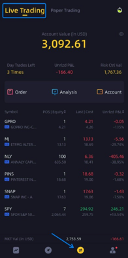
Notice all those numbers in red—they are plunging! 🙀 So don’t take my screenshot positions as any sort of recommendation! 🙅
That big yellow number at the top ($3,092.61) is the Total Account Equity, including all the cash and securities currently in my account. That list of ticker symbols are my positions.
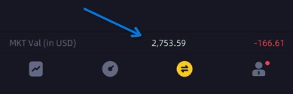
What is the Total Market Value of my stocks? Look down ⏬--here they are:
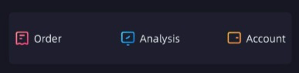
Just so you know, these three little tabs are clickable: (Our developers actually put a lot of goodies under these three, not sure why they made the icons look so deadly🙄.)
Order History
Want to revisit all the smart (or not-so-smart) choices you made? 😁 Check them out here! (Feel free to customize the time filter.)
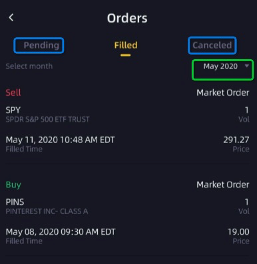
The page should be pretty self-explanatory, but if you still have any issues, please let us know. 🙄
Analysis
FYI: P&L stands for Profit and Loss.
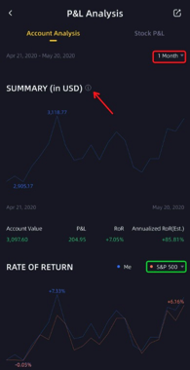
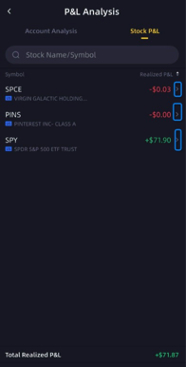
Account Analysis gives you a rough grasp of your overall performance during a certain period of time. You could also compare your rate of return against major indices – such as the S&P 500 – to see if you ever beat the market! 💪
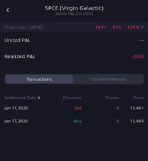
Stock P&L gives more detailed gain and loss info on your positions. View entire positions all at once, or click the right arrow to view the transaction history of each individual stock:
Account
The Account icon will lead you to your account overview page. You might be overwhelmed by all those terms, numbers, and symbols – you aren’t alone! That’s why our thoughtful developers added the definitions for each term on this page, just for people like you and me 😊:
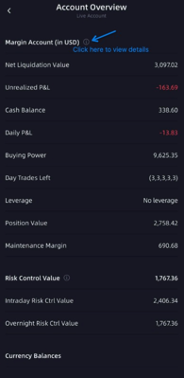
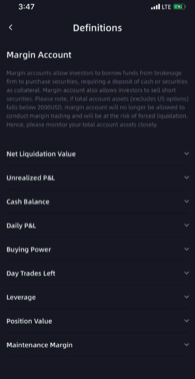
You can learn all sorts of things about your account on the Live Trading page. Go give it a look! 🤓🤓🤓